


 English
▾
English
▾
English
▾
English
▾

Do you know in the language of auditing, if you did not document something, it simply means you did not do it?
Compliance with food safety and quality requirements is a non-negotiable aspect of every food industry and an essential pillar for success. Now, picture a world where document compliance is seamless, efficient, and auditable. This can be made a reality through the power of digital document management systems.
Across global businesses, organizations have to handle extensive quantities of documents with regard to maintaining compliance. Since the magnitude of document flow in this process will be enormous, it is paramount for enterprises to refine document management to yield optimal document compliance outcomes. The digital document management system hinges on leveraging automated processes for swift and efficient document handling, eliminating the burdensome manual workflows and challenges associated with locating critical information. By embracing digital food safety and quality compliance management, food companies can experience unparalleled peace of mind knowing that your firm’s documentation is aligned with industry standards and regulations.
While it may sound simplistic, the principle of “saying what you do and doing what you say” is a fundamental differentiator between a thriving, efficient organization and one that remains stagnant due to overreliance on traditional methods and systems. This phrase encapsulates the essence of integrity in business practices, highlighting the significance of following through on commitments. Given below is a breakdown of the different elements encompassed in this concept.
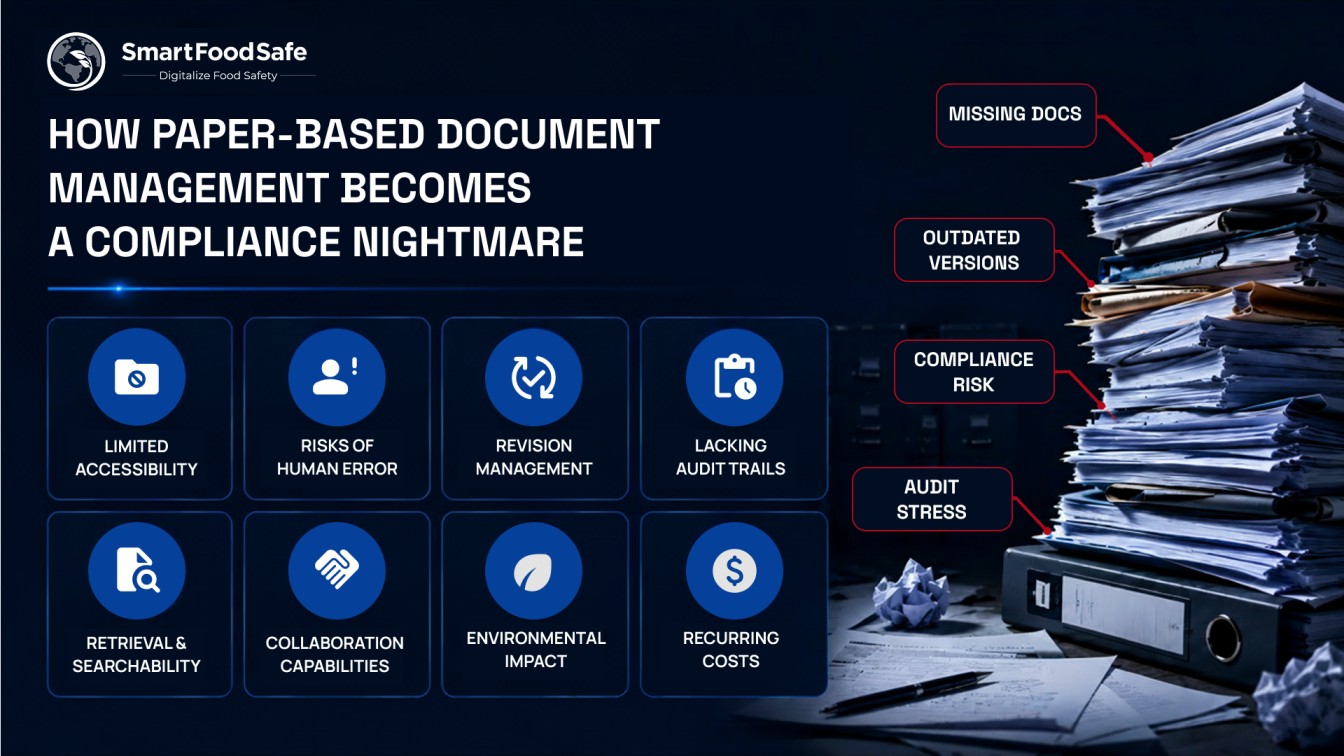
In the realm of document compliance, paper-based systems often fall short of translating intentions into actions primarily due to the complexity of paper documents, including their physical nature, storage limitations, difficulty in retrieval, vulnerability to damage or loss, and difficulties in maintaining document version control. As a result, the potential for errors, delays, and miscommunication looms large, compromising the integrity of organizational processes.
Digitizing document management empowers businesses to bridge the gap between what is said and what is done. With the digital transformation of document management, companies can seamlessly align their words and actions through real-time data capture, automated tracking, centralized repositories, and streamlined workflows to establish accountability and consistent compliance throughout their operations. Furthermore, digital systems provide an auditable trail, allowing businesses to trace the complete lifecycle of documents and actions taken.
Most quality teams use these two terms interchangeably. Auditors do not.
Document management is the infrastructure, where documents live, how they are stored, how people find them. It answers the question: can your team locate the allergen handling procedure in under a minute?
Document control is the governance that sits on top, who approved this document, which version is active, who has read it, when it is due for review, and what happened to the previous version. It answers the question: can you prove that every person touching this process is working from the same, current, authorised version?
A facility can have excellent document storage and still generate a major non-conformance finding because version control was not enforced. The opposite is also true, tight document control governance applied to a disorganised repository creates its own compliance gaps.
A purpose-built digital document management system for the food industry handles both layers in one system, so the infrastructure and the governance are not two separate problems requiring two separate solutions.
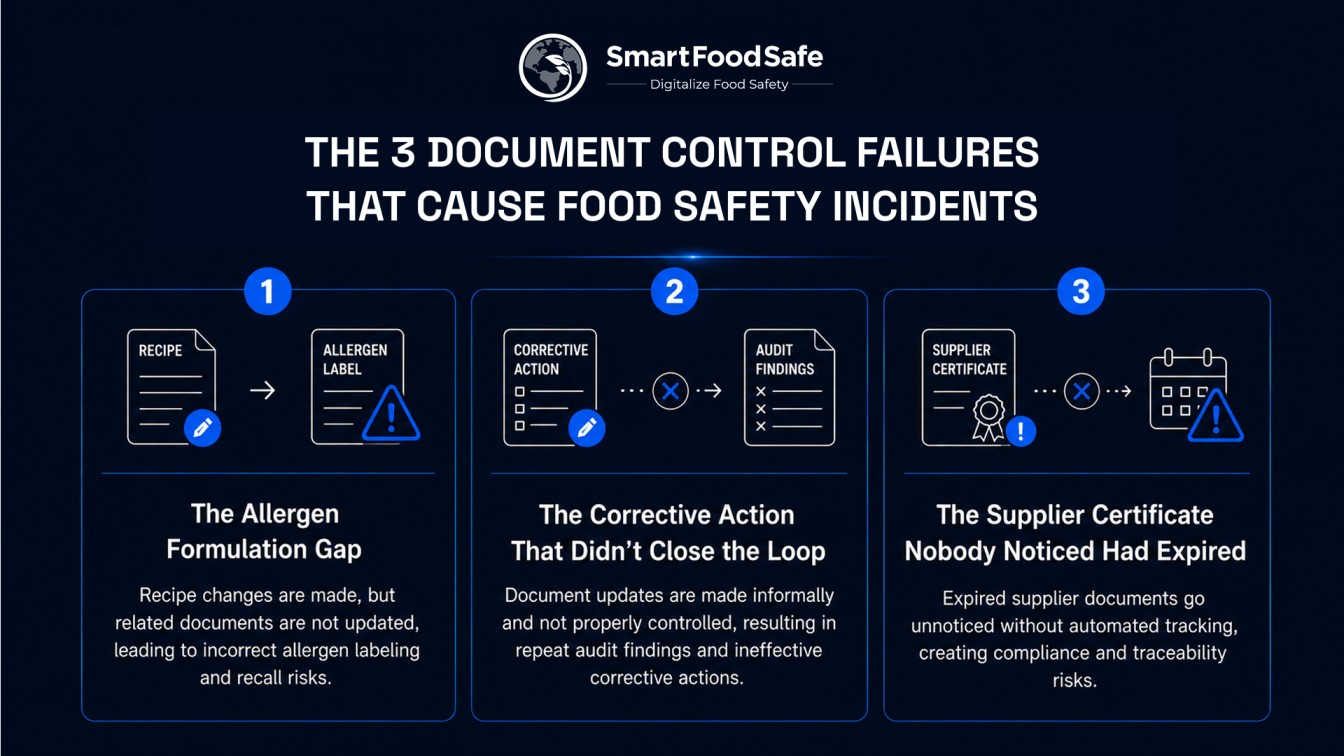
Every competitor lists document types and talks about version control in the abstract. What they do not explain is how document failures translate into real incidents, and the pattern is almost always one of these three:
A recipe changes. The allergen declaration in the product specification is updated. But the production procedure that triggers label review is never formally revised and reissued — so the label review never happens. Everyone acted on the document in front of them. The document was simply wrong. This is the documentation failure pattern behind a significant proportion of undeclared allergen recalls — not a production error, a document control gap.
A non-conformance is raised during an internal audit. The root cause traces to an ambiguous work instruction. A revised version is written and informally circulated. The corrective action is closed. Six months later, an external auditor asks for evidence that the document was formally revised as part of the corrective action. It is not in the document control system. The corrective action is reopened as ineffective — and the non-conformance is now a repeat finding.
A raw material supplier's certificate of analysis expired three months ago. The ingredient has continued to be received and used because no one in the facility received an alert — the expiry date was on a spreadsheet nobody checked. During a traceability exercise, an auditor asks for evidence the ingredient was approved at the time of use. It was not. A document management system with automated expiry tracking prevents this entirely. A spreadsheet does not.
Despite the multitude of technological advancements that have revolutionized various facets of our lives, it is somewhat perplexing that many businesses continue to depend on paper-based document management systems. Despite their longstanding usage, they harbor numerous inherent limitations that can be quite troublesome to enterprises for compliance management. Let us look at some significant drawbacks of utilizing paper-based document management and how they affect the compliance scenario:
Publishing an approved document is the middle of the process, not the end.
The final step, ensuring the right person has read the current version before acting on it, is where most document management systems stop working. A notification is sent. Whether anyone opened it, read it, or understood it is not captured anywhere.
In a food safety context this matters specifically because auditors do not just ask whether the current version exists. They ask whether the people following it were trained on it. A document control system that does not close this loop forces the Quality Manager to maintain a separate training tracking system or to hope that informal communication was enough.
The loop closes when a document revision automatically generates a training acknowledgement task for every affected employee, the employee confirms they have read the new version, and that confirmation attaches to both the document revision record and the employee's training history. Until those acknowledgements are complete, the document is not considered distributed.
Imagine having a powerful tool that helps your organization seamlessly process, capture, store, manage, and track documents. This is exactly what a document management system does. You can bid farewell to the chaos of paper files and welcome an organized, efficient, and digital way of handling your critical business information with document management software.
A document management system empowers you to develop stable, predictable, and measurable processes to enable quick access to the exact information you are looking for whenever and wherever you need it. The significance of document management systems is becoming more and more relevant in today’s business world. With the post-COVID-19 impact and the adoption of hybrid or remote working, companies are recognizing the limitations of conventional document management techniques.
Adopting a document management system provides businesses with control and valuable insights into the flow of documents and data within and outside the organization. Whether employees are working remotely or in the office, this system assures that everyone has access to the most recent and updated versions of documents without the hassle of constant email exchanges, facilitating smooth communication, efficient review processes, and timely approvals. Moreover, document management system software brings optimized internal accountability, addresses security concerns, and supports data audits by creating a comprehensive trail of a document’s lifecycle, from creation to modifications and distribution. In short, document management software can bring forth the best document management practices with technology for businesses to thrive in the modern work environment and stay ahead of the curve in a rapidly evolving business landscape.
Corporate pushes a master allergen policy. Each site downloads it. Over the following year, Site A makes a small local adjustment and saves it informally. Site B updates their version following a customer audit request. Site C is still running the original. Nobody is lying or cutting corners, they are just operating without a system that enforces central control.
When a multi-site audit or a supply chain investigation arrives, the question is: were all sites operating from the same approved procedure? If the answer requires emailing site managers and comparing file modification dates, the document was not controlled, it was distributed and then abandoned.
A digital system built for multi-site operations pushes master documents to all sites with locked central versions, allows site-specific addenda through a formal process, and gives corporate visibility of every site's current document status without having to ask.
By keeping these features in mind, you can make an informed decision when selecting a document management system that aligns with your organization’s specific needs and complements overall efficiency.
These two terms appear in every food safety standard. They are rarely explained in a way that is useful to the people who actually encounter them.
A controlled copy is a document that is registered in your document management system, carries a current version number and effective date, and is tied to a named distribution record. If it is revised, the system knows who has it and can push the update, or recall the old version.
An uncontrolled copy is any copy that has left the controlled system, printed without a distribution record, emailed as an attachment, photographed on a phone. The moment it leaves the system, it starts to age silently. There is no mechanism to update it when the document changes.
The practical implication: in food manufacturing, uncontrolled copies on the production floor are a document control non-conformance. Not because using a printed document is wrong, but because there is no way to verify it is current or to replace it when it becomes obsolete.
A digital document management system handles this in two ways, either by making documents display-only on screen (no printing possible), or by registering every printed copy with a watermark, a holder name, and an expiry date, so physical copies can be tracked and recalled when a revision is issued.
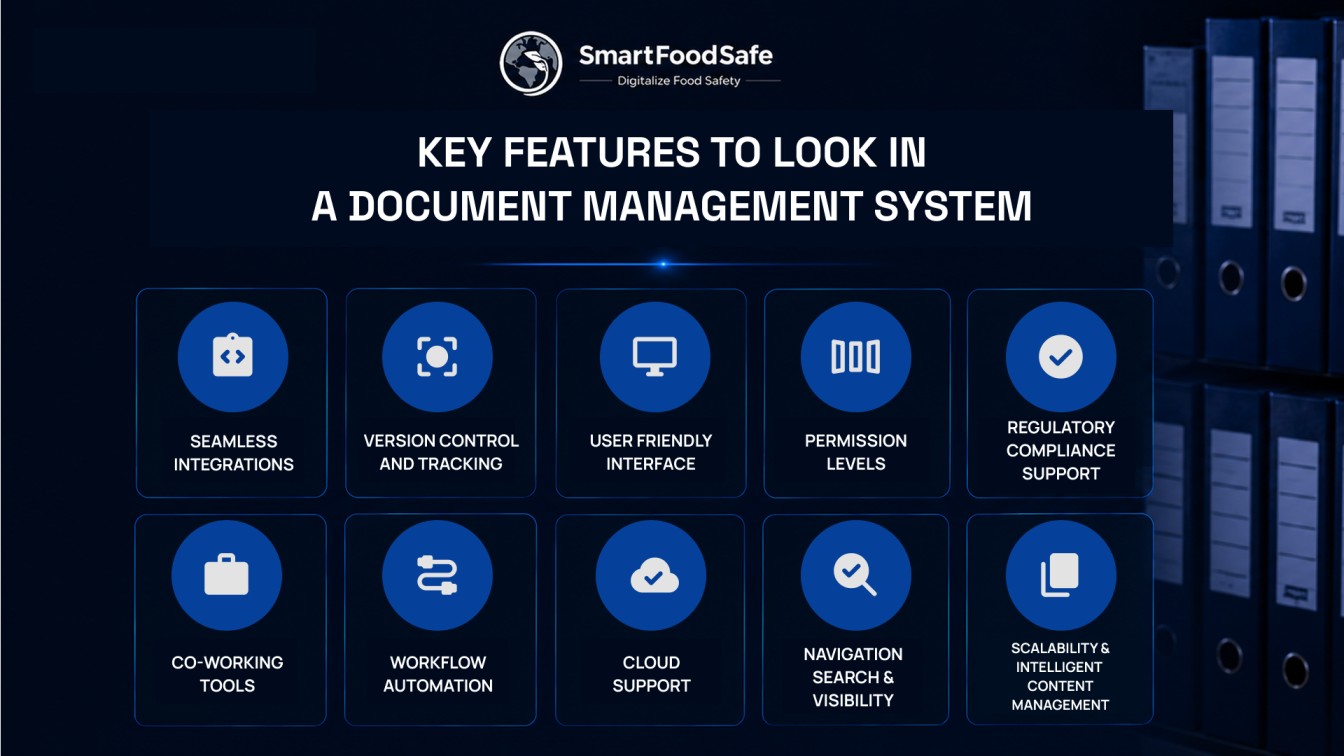
SmartFoodSafe‘s Smart Docs is a digital document management software developed to optimize the entire document management process and maintain document compliance with global quality and food safety standards. Unlock the full potential of your organization with Smart Docs’ advanced features to deliver a comprehensive and integrated solution that ensures compliance and elevates productivity.
Systematic Document Control
Efficiently oversee all aspects of document management to create and edit documents effortlessly, upload custom files, link internal/external documents, and seamlessly integrate with cloud storage for simplified and organized documentation processes.
Integrated Global Regulatory Standards
Choose from a range of incorporated global Quality & Food Safety standards such as SQF, BRCGS, IFS, etc., access a library of standard templates, migrate to the latest versions with a click, and pass audits with flying colors to stay compliant as required by 21 CPR Part 11 Document Compliance.
Centralized Document Repository
Own a centralized document ecosystem to effortlessly organize and store all documents, customize folder categorization, utilize versatile search filters, and access them securely from anywhere for uninterrupted business operations.
Scheduling Tasks
Ensure timely compliance by scheduling review and approval tasks, syncing them with users’ calendars, receiving email reminders, and maintaining a color-coded status history for comprehensive compliance management.
Automated Document Workflow
Oversee and supervise document-centric processes for boosted productivity across your business operations with an automated and configurable workflow to manage document lifecycles, maintain approval and rejection flows, and execute real-time document actions.
Traceable Audit Log
Establish user roles as needed to effectively track and report the complete history of document modifications, approvals, and rejections, enabling a proper understanding and visibility of the document lifecycle through an audit log, document versioning, and change log summaries.
Smart Linking
Utilize the Smart Linking feature to allow the user to link relevant policies, procedures, and records from other modules such as Smart Record, Smart Supplier, etc., required for complying with regulatory requirements for performing due diligence.
With the power of technology at your fingertips, Smart Docs enable users to experience smooth document management for strengthening businesses’ due diligence by achieving optimum document workflows and eliminating costly errors or delays.
The fastest way is to maintain a system that links procedures, approvals, training records, and revision histories in one place. During an unannounced audit, the ability to immediately demonstrate who approved a document, who was trained on it, and when it was last updated often determines whether compliance can be verified efficiently.
Most document-related findings occur because organizations struggle to demonstrate consistency between written procedures and daily operations. Auditors typically look for evidence that documented processes are actively followed, reviewed, communicated, and kept current across the facility.
Using obsolete procedures can lead to inconsistent operations, customer complaints, regulatory violations, or audit findings. Even if employees perform tasks correctly, working from an outdated instruction may create compliance risks because the approved process is no longer being followed.
Organizations often reduce this risk by implementing automated review schedules, approval workflows, and reminder notifications. This ensures critical policies, SOPs, and specifications are reviewed before expiry dates rather than relying on manual follow-ups.
Maintaining consistency across locations is often the greatest challenge. Without centralized oversight, different facilities may unknowingly use different versions of the same procedure, creating compliance gaps and increasing audit risk across the organization.
Yes. Documentation issues can indirectly contribute to recalls when critical information such as allergen requirements, supplier approvals, product specifications, or process controls is not updated, communicated, or verified correctly throughout the organization.
Auditors typically look for evidence beyond document distribution. They may review training records, acknowledgement logs, competency assessments, or interview employees directly to confirm that updated procedures have been understood and implemented.
The transition becomes valuable when document volume, employee count, audit requirements, or site locations make manual tracking difficult. If teams spend significant time searching for documents, managing revisions, or preparing audit evidence, a digital system can improve both compliance visibility and operational efficiency.

 French
 Spanish
 Portuguese