


 English
▾
English
▾
English
▾
English
▾

Visitor management challenges often include ensuring accurate identification, managing high volumes of visitors, and maintaining data privacy. Associated risks can range from security breaches and unauthorized access to potential liabilities due to inadequate visitor tracking and documentation. Visitor interactions usher in the need for stakeholders to face the imperative task of ensuring the safety of their premises for both visitors and staff while maintaining exemplary service standards.
To address these objectives, businesses should contemplate the adoption of visitor management software. This software facilitates the monitoring and coordination of visitors, staff, and contractors. Choosing a suitable visitor management software goes beyond the basic functionalities of visitor sign-in and sign-out, and offer key features to help businesses enhance their overall visitor experiences by aligning with individual enterprise needs.
Visitor management software is a digital solution designed to automate the process of registering, tracking, and managing visitors, clients, and vendors within a facility. This software typically integrates with access control systems to verify identities, grant or restrict access to specific areas, and maintain a record of visitor activity for security and compliance purposes.
The primary objective of visitor management software is to digitally monitor individuals entering and exiting various establishments, such as businesses, educational institutions, or public facilities. This involves implementing procedures such as registration, identification verification, and access control to prevent unauthorized entry and potential threats. By doing so, visitor management systems augment and standardize the check-in process, making it more streamlined and accurate.
Many visitor management solutions offer the capability to screen visitors against predefined watch lists. This feature serves as an additional security measure, safeguarding the building, its occupants, and assets. The software can be implemented either through a self-service kiosk or integrated into an existing front desk computer system, providing flexibility in its deployment.
By maintaining a comprehensive visitor log and utilizing modern technologies like electronic badges, and biometric systems within the visitor management software, organizations can effectively monitor and manage visitor activities in real-time, thereby reducing risks and vulnerabilities.
Ultimately, efficient visitor management systems enable organizations to provide a seamless and hassle-free check-in process for their guests, enhancing their satisfaction and perception of the organization.
The demand for digital visitor management software spans well beyond corporate office lobbies. Manufacturing and food production facilities use it to confirm that contractors and service personnel have completed required safety briefings before entering controlled or restricted areas. Healthcare sites use it to verify identities and limit access to patient-sensitive zones. Educational campuses use it to log every adult visitor with a timestamped record that supports student safety protocols. Government buildings and regulated production environments use it to generate structured, audit-ready sign-in records for inspection purposes. Multi-site operations use it to standardize the guest experience and security process across all locations from a single administrative platform.
When evaluating different visitor management software options, consider your organization’s specific requirements, budget, and long-term goals to choose a solution that best fits your needs. When selecting a visitor management software solution, consider the following ideal features:
1. Customizable Check-in Process: The ability to customize the check-in process to suit the specific needs of your organization. This could include capturing different types of information, signing NDAs, or providing safety briefings.
2. Visitor Pre-registration: Allows visitors, contractors, and employees to pre-register before arriving on-site, speeding up the check-in process and reducing wait times.
3. ID Badge Printing: Integrated ID badge printing capabilities to provide visitors and contractors with badges upon check-in, clearly displaying their name, photo, and access permissions.
4. Visitor Data Reporting & Analytics: Collect and analyze information to understand visitor behavior, preferences, and interactions for informed decision-making and optimization.
5. Integration Capabilities: The ability to integrate with other systems such as access control, and HR databases to provide a thorough security solution.
6. Visitor History and Records: A comprehensive database that maintains records of all visitor details, check-in/check-out times, and visit history for compliance, security, and audit purposes.
7. Alerts & Notifications: Automated alerts and notifications for hosts when their visitors arrive, as well as for security personnel in case of unauthorized access or security breaches.
8. Cloud-Based System: A cloud-based system allows for remote access, easy updates, and scalability, making it suitable for organizations of all sizes.
9. Compliance and Audit Trails: Features that ensure compliance with regulatory requirements and provide detailed audit trails of visitor activities for security and accountability.
10. Mobile Access: Mobile-friendly interface or dedicated mobile apps for visitors and administrators to manage check-ins, access permissions, and notifications on the go.
Below, we outline the top visitor management software options for 2026:

Smart Visitor is a contemporary cloud-based system designed for managing visitors and contractors to improve the safety and control of company premises. This system offers contactless visitor management technology to simplify the front-office process, making check-ins for visitors efficient and user-friendly. Smart Visitor allows organizations to easily handle guest information with flexibility and affordability.
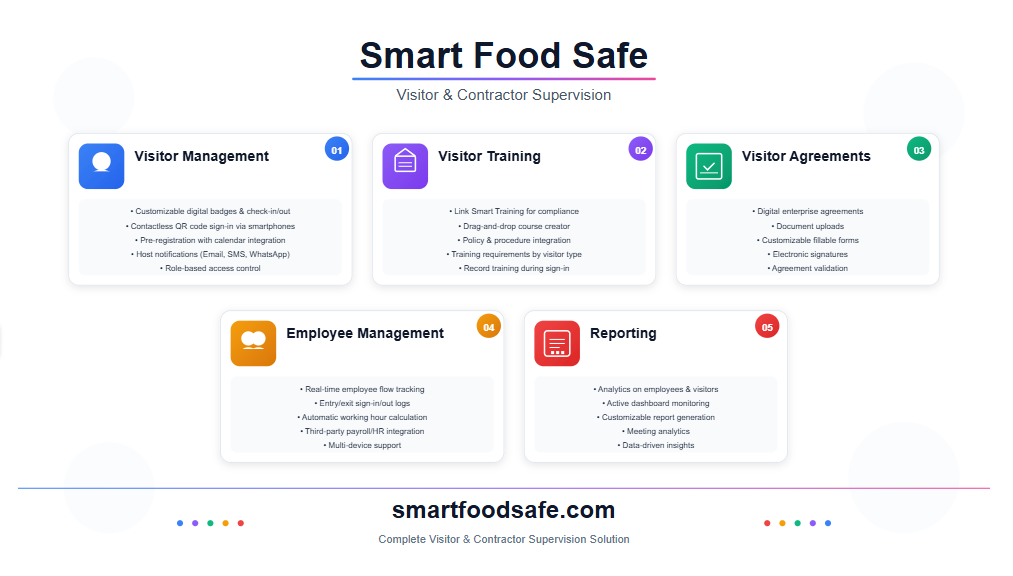
⇒ Visitor Management
Customizable digital badges for efficient check-in/check-out.
Badge layout configuration to display required details.
Capture photos and IDs for security at entry points.
Digital or printable visitor passes available.
Role-based access control to facility areas.
Contactless sign-in via smartphones with QR Codes.
Two-factor authentication for enhanced security.
Multi-device support: smartphones, iPads, desktops.
Scheduled visits with email calendar integration.
Pre-registration for visitors with notifications.
Quick sign-in for returning visitors with stored data.
Time-saving with pre-filled information for scheduled visits.
Host-visitor communication via notifications (Email, SMS, WhatsApp).
⇒ Visitor Training
Link Smart Training for compliance with regulations.
Drag-and-drop course creator for training courses.
Incorporate policies/procedures into visitor training.
Configure training requirements based on visitor types.
Record visitor training during sign-in.
⇒ Visitor Agreements
Include enterprise-specific agreements digitally.
Document uploads for visitor agreement criteria.
Customizable agreement forms with fillable fields.
Collect electronic signatures for agreement validation.
⇒ Employee Management
Track employee flow through real-time logs.
Monitor employee entry/exit with sign-in/out logs.
Automatic working hour calculation with sign-ins.
⇒ Reporting
Gather analytics on employees, visitors, and meetings.
Active dashboard and customizable report generation.
Best for: Food manufacturers, regulated production facilities, and multi-contractor environments.
Pricing: Contact Smart Food Safe for a custom quote.
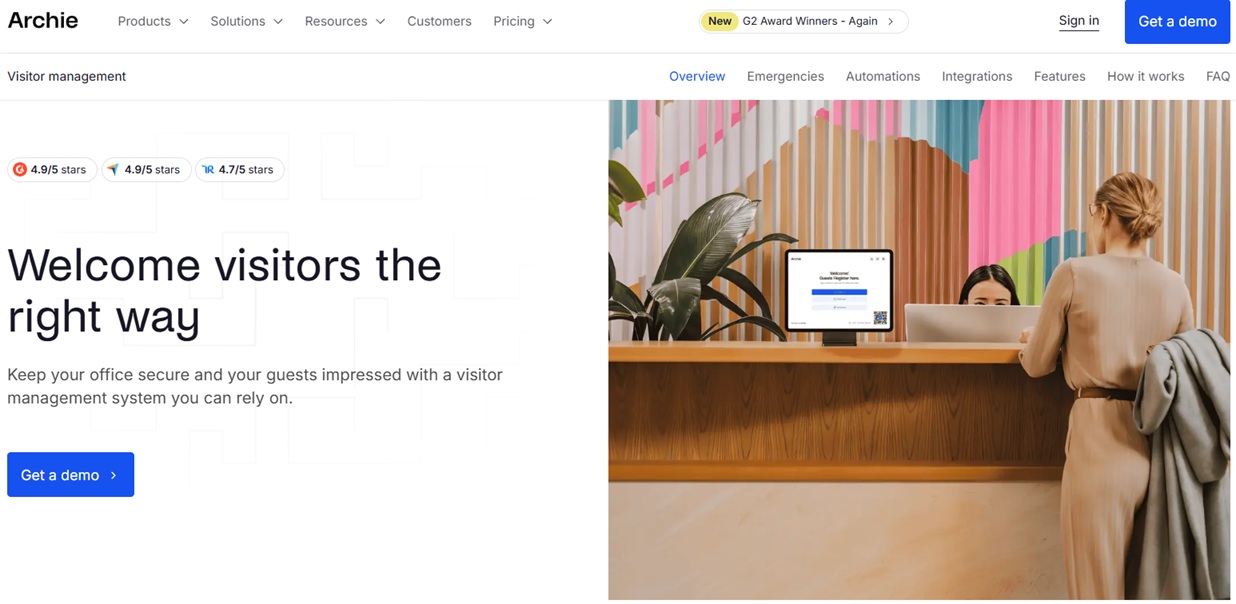
Archie Visitors is a modern visitor management platform designed for mid-sized and larger offices looking for strong security without complicated setup or enterprise pricing. It combines self-service check-ins, digital document signing, badge printing, and real-time visitor tracking in one easy system. Beyond visitor check-ins, Archie also connects with desk and room booking, giving companies a single platform to manage visitors, employees, and workspace usage together.
Best for: Hybrid offices that want visitor management, desk booking, and room booking in one platform.
Pricing: Contact for more information.

Robin is a contactless visitor management software tailored for hybrid workplaces. It promotes team communication, collaboration, and connection. The platform facilitates desk and room bookings, integrates with calendars for effective space utilization, and offers interactive workplace maps with real-time room availability.
Best for: Hybrid workplaces with more employees managing multiple floors or office locations.
Pricing: Annual subscription, custom quote only. Contact Robin for pricing.

Envoy Visitors is a versatile visitor management software featuring customizable sign-in kiosks, adaptable workflows, and digital document security for enhanced policy adherence. It allows unlimited visitor registration, recognizes returning guests, and offers customizable fields.
Best for: Mid-market corporate offices managing multiple visitor types including guests, contractors, and deliveries.
Pricing: Basic plan is free. Paid tiers are custom. Contact Envoy for a quote.

iLobby offers visitor management software that seamlessly integrates with equipment like card scanners and can be tailored to meet compliance needs. With a focus on security, iLobby simplifies audit processes and enables data sorting based on specific criteria like check-in times and visit durations.
Best for: Enterprises in regulated industries that need audit-ready visitor records and compliance-grade security.
Pricing: Contact for pricing.

SwipedOn enables visitor management through its automated system, streamlining desk, parking, and resource oversight. It offers automated visitor orientations, customizable content, and mobile accessibility, allowing visitors to check in via their devices, with hosts getting instant alerts.
Best for: Small to mid-sized businesses that need a simple, affordable visitor and employee sign-in system.
Pricing: A free trial is available, contact for pricing.

The Sign In App is a visitor tracking system that can be smoothly tailored for checking in employees, vendors, and visitors. Additionally, with the Spaces extension, users can oversee reservations for meeting rooms and alternative work areas.
Best for: Offices, schools, and multi-site organizations that need flexible check-in for visitors, staff, and contractors.
Pricing: Core plan starts at $600 per year. Enhanced at $1,200 per year. Pro at $1,800 per year. A 15-day free trial is available.

Honeywell Forge Visitor Management provides a personalized and streamlined visitor experience through various check-in methods like mobile apps, iPad kiosks, geofencing, and manual entry, allowing users to print badges, pre-fill data, and utilize face-check technology.
Best for: Large facilities and enterprise campuses that need multi-location visitor monitoring with advanced access control.
Pricing: Contact Honeywell for a custom enterprise quote.

Proxyclick is a comprehensive visitor management software that bolsters location security and optimizes operations with features like self-service check-ins, personalized guest badges, and multilingual capabilities.
Best for: Global enterprises managing visitors across multiple countries that need multilingual check-in and compliance controls.
Pricing: Contact for a custom enterprise quote.
It is advisable to request demos, read reviews, and seek recommendations from other organizations in your industry to make an informed decision when opting for visitor management software for your enterprise.
Pricing depends on the number of sites, features, and scale of deployment. Entry-level plans for a single location generally start between $40 and $60 per month. Mid-tier platforms with expanded security features, compliance tools, and third-party integrations typically run between $100 and $200 per month. Enterprise solutions for large or regulated organizations start around $200 per month and require custom quotes for multi-site or high-volume deployments.
Most vendors bill annually rather than monthly. Free trials ranging from 14 to 30 days are widely available and are the practical way to test whether check-in flows, badge printing, and host notifications work for your specific setup before making a commitment.
Smart Visitor distinguishes itself prominently in the realm of visitor management software by offering a well-rounded and integrated solution tailored to meet the diverse needs of modern enterprises. Its user-centric approach prioritizes efficiency and security, seamlessly blending advanced technological capabilities with intuitive design.
Unlike conventional systems, Smart Visitor provides a holistic platform that not only fine-tunes the visitor check-in and check-out processes but also empowers organizations by redefining visitor management procedures with robust visitor training, enhanced compliance with regulations, optimized operational workflows, and real-time employee monitoring features, contributing to setting a new standard in modern visitor management solutions.
A paper sign-in sheet records a name and a time. That is where it ends. Visitor management software captures photos, verifies identities, stores visit history, sends automatic host notifications, prints badges, and generates reports you can pull up in seconds. When an auditor or inspector asks for a visitor log from six months ago, a paper sheet cannot answer that reliably. A digital system retrieves it instantly with a full access trail attached.
Yes. Most enterprise-grade platforms connect with physical access control systems including door readers, turnstiles, and gate systems. Once a visitor checks in and is approved, the integration can automatically grant them access to designated areas and restrict them from others. This removes the need for a front desk employee to issue separate credentials and creates a single log that tracks both the visit record and physical movement through the facility.
Standard visitor management handles guests, clients, and one-time visitors. Contractor management goes further by tracking recurring on-site personnel who need verified certifications, safety inductions, and role-based access permissions before starting work. Some platforms, including Smart Visitor, handle both in one system by applying different workflows, agreement requirements, and training steps depending on whether someone is a one-time guest or a contracted worker with ongoing site access.
A host sends the visitor an invitation ahead of their arrival. The visitor fills in their details before they get there. When they arrive, check-in is reduced to scanning a QR code or confirming pre-filled information rather than entering everything from scratch. This cuts lobby wait times significantly during high-traffic periods like shift changes, deliveries, or back-to-back scheduled meetings.
Retention policies vary by platform, but reputable visitor management systems allow administrators to configure how long records are kept before automatic deletion. Personal information collected during check-in, including names, photos, and contact details, should only be accessible to users with defined administrative roles. When evaluating any platform, ask specifically about configurable retention periods, manual deletion options, and whether data is stored in a region that aligns with your local privacy regulations.
Most mid-tier and enterprise platforms offer multi-location management from a single administrative account. This lets operations and security teams monitor visitor activity across sites in real time, compare sign-in volume by location, and enforce consistent check-in policies across facilities without managing separate accounts for each building. For organizations running multiple warehouses, processing plants, or regional offices, this centralized visibility is one of the strongest practical reasons to move away from location-by-location solutions.
During an evacuation, staff need to know exactly who is inside the building at that moment. A digital system maintains a live list of everyone currently signed in, accessible from a mobile device without anyone returning to the front desk. Facility managers can view active sign-ins, identify who has not yet signed out, and share that information with emergency responders on-site. This is far more reliable than a paper log that may be incomplete, left inside the building, or impossible to read under pressure.
Yes, if the platform supports it. Several systems, including Smart Visitor, offer QR code-based check-in that visitors complete on their own device without touching a shared tablet. A host can include the QR code in the pre-registration invitation, or it can be displayed at the entrance. This works well for facilities that want to reduce shared touchpoints, lower hardware costs, or handle high-volume check-in without a dedicated front desk attendant.
Watchlist screening checks a visitor's name and identity against a database of restricted or flagged individuals before granting facility access. This can include internal lists of previously banned visitors, government-issued restricted party databases, or custom criteria set by the organization. When the system finds a match, it flags the entry and alerts security staff rather than completing check-in automatically. Platforms including iLobby, Eptura Visitor (formerly Proxyclick), and Honeywell Forge include this capability within their security-focused feature sets.
Setup time depends on how much customization your organization needs. A basic single-location deployment with a standard check-in flow can be configured and live within a day. Multi-location rollouts with custom workflows, access control integrations, training modules, and digital agreement forms typically take one to four weeks. Cloud-based platforms deploy faster than on-premise systems since there is no local server installation involved. Most vendors include guided onboarding, and enterprise platforms often assign a dedicated implementation contact as part of the subscription.

 French
 Spanish
 Portuguese