


 English
▾
English
▾
English
▾
English
▾


If you were to look closely at what truly holds a modern enterprise together, would it really be its valuation or branding?
Or is it something far more fundamental?
The real strength of a business lies in the integrity of its documentation. In highly regulated industries, documentation is a proof of compliance, operational consistency, and accountability.
Yet many organizations still struggle with fragmented file storage, outdated versions, and manual approval processes that slow down operations and increase compliance risks.
This is where a Document Management System (DMS) becomes essential.
A modern DMS transforms scattered documents into a structured, searchable, and controlled system, ensuring that every policy, SOP, record, and report is created, managed, reviewed, and archived properly throughout its lifecycle.
But choosing and implementing the right system requires understanding what a modern document management solution should actually include.
Document management is the structured process of capturing, organizing, securing, retrieving, and tracking documents throughout their lifecycle from creation and review to approval, storage, and eventual archiving or disposal.
A Document Management System (DMS) is the digital platform that enables this process. It replaces scattered storage systems, email attachments, and manual records with a centralized, secure, and traceable environment where documents can be managed efficiently and compliantly.
For organizations operating under regulatory oversight such as food manufacturing, pharmaceuticals, laboratories, and healthcare, a DMS ensures that documentation remains controlled, accessible, and audit-ready at all times.
A modern DMS is far more than digital storage. It must support the entire lifecycle of a document while maintaining compliance, traceability, and collaboration.
Below are the core components that define an effective document management platform.
A single, secure location where all documents are stored and managed.
This eliminates scattered files across desktops, email attachments, and shared drives, ensuring that teams always access the latest approved version of a document.
Documents should be structured using folders, categories, and metadata to ensure logical organization.
This helps teams locate documents quickly while maintaining structured records across departments.
Teams must be able to collaborate on documents during drafting and revision stages.
Templates also standardize documentation formats for commonly used documents such as:
This ensures consistency across documentation.
Version control is critical for regulated environments.
A modern DMS should automatically:
Automated document numbering further improves traceability and consistency.
Key information such as:
can be automatically embedded into headers and footers using data from audit logs.
This ensures that every document remains traceable and standardized.
Manual document approvals often slow down operations.
Workflow automation allows documents to move through predefined stages such as:
Draft → Review → Approval → Publication
Built-in document review cycles and expiry reminders ensure that documents remain up to date and compliant with internal policies or regulatory requirements.
A DMS must ensure that the right people have access to the right documents.
Role-based access controls allow organizations to:
This reduces the risk of unauthorized modifications.
Modern systems also support Optical Character Recognition (OCR), which converts scanned documents into searchable files.
Combined with advanced search capabilities, users can retrieve documents instantly using keywords, metadata, or tags.
Every action taken on a document should be logged.
Audit trails record:
This is essential for maintaining compliance with regulatory frameworks such as 21 CFR Part 11, QMS, and FSMS standards.
Automated alerts notify users about:
This prevents critical documents from becoming outdated.
A modern DMS should integrate seamlessly with tools already used within the organization.
Common integrations include:
Cloud-based access also ensures teams can securely access documentation from anywhere.
Reliable backup and export capabilities protect critical documentation from loss.
Meanwhile, reporting dashboards provide visibility into:
An AI-ready architecture also allows organizations to adopt intelligent document classification and automation in the future.
Even the most advanced software requires the right processes to deliver results.
Here are ten proven best practices organizations should follow.
Define document ownership, lifecycle rules, and retention policies.
Example: Quality teams manage SOP control while department heads approve revisions.
Centralize all documents within one controlled system to avoid duplicates.
Example: Teams access one approved document rather than multiple emailed copies.
Adopt consistent naming conventions.
Example: SOP_QA_AllergenControl_2026_V3
Track all document revisions and maintain full history.
Ensure only authorized individuals can modify critical documents.
Automated routing reduces manual follow-ups.
Example: Policy revisions move automatically from draft to approval.
Metadata tagging improves searchability and document classification.
Digital approvals accelerate document authorization processes.
Successful adoption depends on user understanding and engagement.
Monitor key metrics such as document retrieval time and approval cycles to identify improvement opportunities.
When implemented correctly, document management delivers significant operational and compliance advantages.
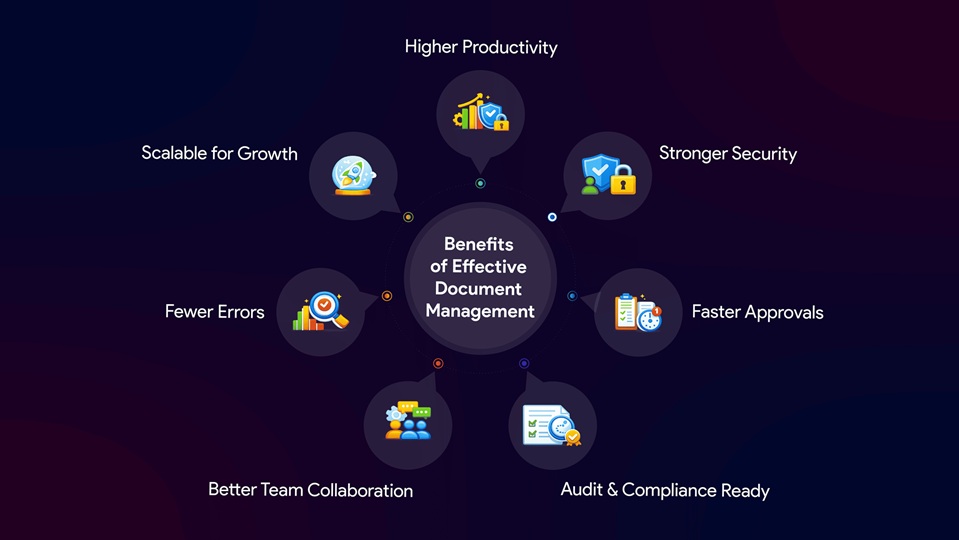
Implementing a document management system requires a structured approach.
Start by mapping existing documents, storage locations, and workflows.
Identify inefficiencies such as:
Set measurable objectives such as:
Choose a system that supports automation, security, integrations, and scalability.
Define clear rules for:
Deploy the system within one department first. This allows teams to test workflows and gather feedback before expanding organization-wide.
Scan and upload existing records, applying metadata and document identifiers for easier retrieval.
Focus automation on repetitive workflows such as document approvals, policy updates, and compliance reviews.
Provide practical training sessions so employees understand how to use the system effectively.
Connect document management with tools such as Office platforms, authentication systems, and enterprise software.
Use reporting dashboards and analytics to measure adoption, identify bottlenecks, and improve workflows over time.
Before selecting a document management platform, organizations should evaluate whether it supports the capabilities required for modern document control.
Smart Food Safe’s Smart Docs software is designed specifically for regulated industries that require structured document control, audit readiness, and compliance alignment. The platform digitizes the entire document lifecycle from creation and review to approval, publication, and archival while ensuring traceability through version control, automated workflows, audit logs, and configurable notifications.
Below is a checklist of essential DMS capabilities of Smart Docs and how they align with modern document management requirements.

Effective document management is not just about organizing files, it is about creating a structured system that ensures accuracy, compliance, and operational efficiency across the organization.
By combining clear governance policies, modern document management technology, and proven best practices, companies can transform documentation from an administrative burden into a powerful operational asset.
Platforms such as Smart Food Safe’s Smart Docs demonstrate how modern document management systems can streamline document control, automate approvals, maintain audit trails, and keep organizations consistently audit-ready.
In an environment where compliance expectations continue to grow, implementing the right document management strategy today ensures organizations remain efficient, accountable, and prepared for the future.

 French
 Spanish
 Portuguese