


 English
▾
English
▾
English
▾
English
▾
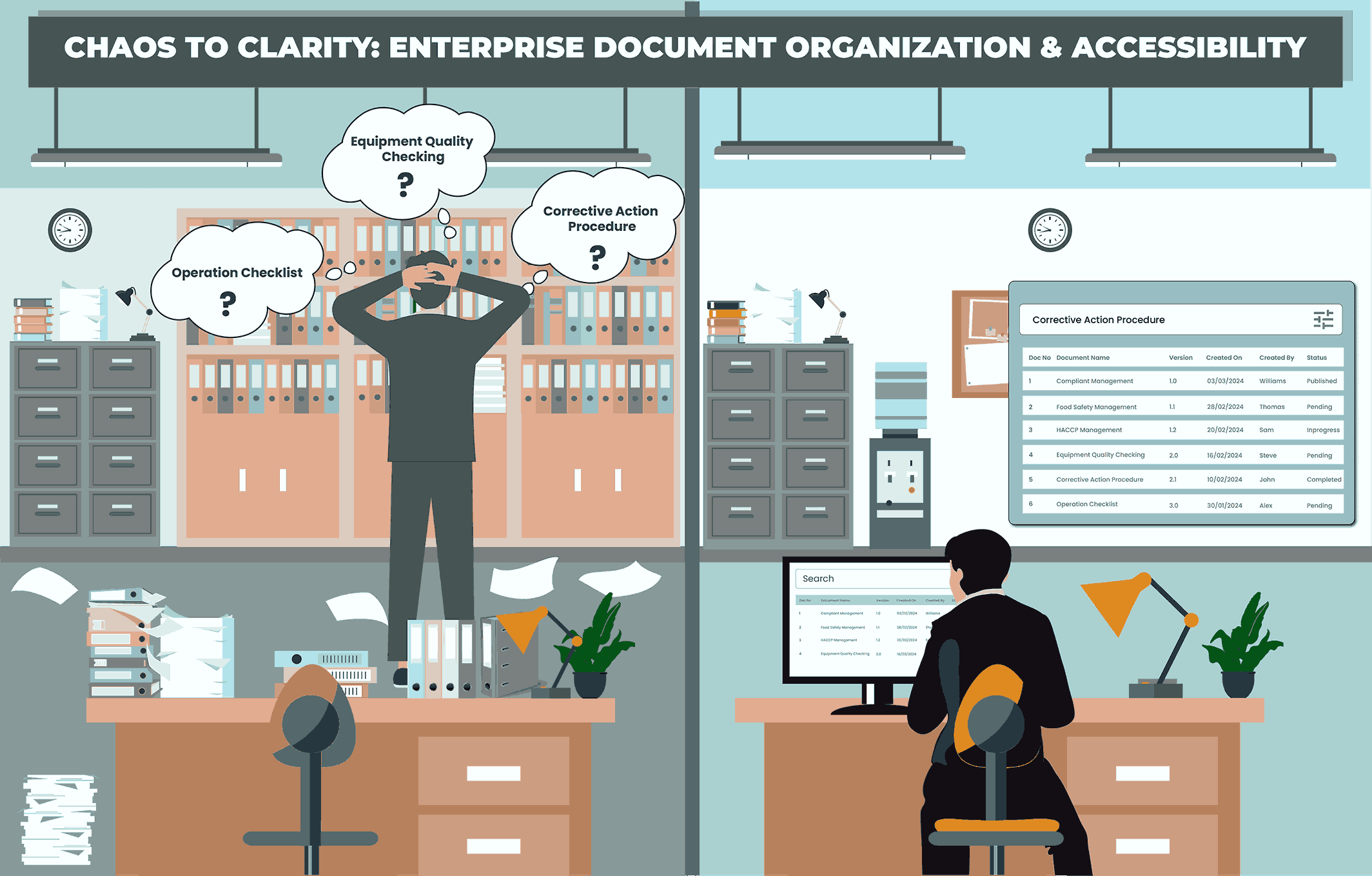
86% of employees say that they usually experience difficulty searching for office files they need to do their job, according to the 2019 Intelligent Information Management Benchmark Report.
This phenomenon remains a persistent problem in establishments around the world, which brings in the necessity for an organized document management system with efficient searchability and accessibility functionality. It arises due to the challenges posed by an overwhelming amount of data, and the risk of productivity loss as valuable time is spent looking for the required information at the time of necessity, ultimately slowing down workflow and potentially leading to frustration, stress, and decreased job satisfaction among employees.
As organizations continue to grow, proper document management and easy accessibility emerge as non-negotiable elements for finding the right document at the right time during critical operations. Businesses need to be mindful of this notion and stay equipped to comprehend and adopt means to diligently store, organize, access, and analyze important information.
Amidst the constant flow of data, information, and collaborative efforts, businesses encounter mounting challenges in robustly organizing their documents, a phenomenon paramount for success. Here, we look into the challenges faced by organizations in managing their documents for daily enterprise activities.
With the proliferation of digital tools and communication platforms, businesses are inundated with a vast amount of information on a daily basis. This influx of data makes it challenging for employees to sift through and locate relevant documents efficiently. Without proper organization strategies in place, important documents often get lost in the shuffle, leading to delays and inefficiencies.
Information tends to be dispersed across multiple physical and digital storage mediums. This includes online locations such as email inboxes, individual computers, shared drives, cloud storage, and project management tools or physical storage housing documents like binders or storage rooms. This fragmentation makes it difficult to maintain a centralized repository of documents, resulting in duplication, version control issues, and accessibility hurdles. Employees waste valuable time searching for documents across disparate platforms, hindering productivity.
In a collaborative work environment, multiple team members may need to access, edit, and share documents simultaneously. Without proper coordination and version control mechanisms, conflicting edits and duplicate versions can arise, leading to confusion and errors. Additionally, integrating feedback and tracking changes becomes cumbersome, particularly when working with remote or distributed teams.
The shift towards remote work has further exacerbated the challenges of document organization. With employees working from diverse locations and time zones, traditional document management methods may no longer suffice.
As businesses grapple with sensitive information and regulatory compliance requirements, ensuring the security of documents is vital. However, maintaining a balance between accessibility and security poses a significant challenge. Employees may inadvertently share confidential documents with unauthorized individuals or store sensitive information in unsecured locations, increasing the risk of data breaches and compliance violations.
The rapid advancement of technology introduces new tools and platforms for document management, adding complexity to the organizational landscape. Integrating these technologies with existing systems and workflows requires careful planning and implementation. Moreover, training employees to leverage these tools effectively is essential to maximize their productivity and ensure adoption.
By streamlining document organization processes, businesses can enhance collaboration, mitigate risks, optimize organizational policies and practices, and ultimately improve their overall productivity in document management. Establishing a structured document system involves categorizing documents effectively, utilizing metadata for added details and accuracy in searches, and leveraging advanced search features within document management systems to expedite the retrieval of relevant data. Businesses must also learn to embrace cloud-based solutions and collaboration tools that facilitate seamless access, sharing, and editing of documents across distributed teams.
In the modern workplace, where information overload is the norm and time is of the essence, prioritizing document searchability becomes a powerful solution to the challenges of organizing documents.
1. Enhanced Productivity: Quick and easy access to relevant documents enables employees to work more efficiently. Whether it’s retrieving important reports, referencing past projects, or accessing critical information, streamlined searchability ensures that employees can find what they need when they need it. This access to information fosters productivity and empowers employees to make informed decisions in a timely manner.
2. Time and Cost Savings: Enhanced search functionality leads to significant reductions in both time and cost spent on locating specific documents. Rather than engaging in manual searches through folders or lengthy email chains, employees can swiftly find the required document by entering keywords or phrases, saving precious seconds. This time and cost efficiency frees up valuable resources, which can be channeled towards more productive endeavors, thereby optimizing workflow efficiency overall.
3. Improved Collaboration: Effective document searchability fosters seamless collaboration among team members. When documents are easily searchable and accessible, collaboration becomes more efficient and effective. Team members can quickly share relevant documents, track changes, and collaborate on projects without the hindrance of information silos or version control issues. This promotes teamwork, enhances communication, and accelerates project timelines.
4. Optimized Decision Making: Timely access to accurate and relevant information is crucial for making informed decisions. Document searchability equips decision-makers in businesses with the necessary insights to assess situations, evaluate options, and formulate strategies effectively. Whether it’s analyzing market trends, reviewing financial reports, or referencing legal documents, easy access to information empowers decision-makers to act decisively and confidently.
5. Compliance and Risk Management: In industries where regulatory compliance is paramount, ensuring that documents are easily searchable is essential for mitigating risks and maintaining compliance. By organizing documents in a searchable format, businesses facilitate audits, ensure document retention policies are followed, and minimize the risk of non-compliance penalties.
6. Enhanced Job Satisfaction: In a cluttered and disorganized document environment, frustration inevitably arises as employees struggle to locate essential files. By prioritizing searchability, businesses alleviate this frustration and create a more conducive work environment. Employees feel empowered and confident knowing that they can swiftly retrieve any document they require, eliminating the stress associated with document management challenges.
Mainstreaming document organization and accessibility offers a myriad of benefits for businesses seeking to optimize their document management practices. By investing in tools and strategies that enhance searchability, organizations can streamline workflows, boost productivity, foster collaboration, and gain a competitive edge in today’s fast-paced business environment.
In the enterprise document management landscape, the methodology used for searching documents plays a pivotal role in efficiency, productivity, and ultimately, the success of the organization. Let’s look at the different techniques employed for the same and how they have transformed over the years.
Manual filing systems involve storing documents physically in cabinets or shelves, relying on human memory and organization for categorization. Retrieving specific documents can be time-consuming, as it requires manual searching through files. Moreover, these systems are prone to errors, misplacement, and even loss of documents, making them less efficient compared to digital alternatives.
Keyword-based searching in document systems entails finding documents based on specific words or phrases. However, its effectiveness is limited by the accuracy of keyword matching. If keywords are not precise or documents are not appropriately tagged, the results may include irrelevant information. Therefore, while keyword searching can expedite document retrieval, it requires careful selection and tagging of keywords to ensure relevance and accuracy.
In hierarchical filing systems, documents are organized within nested folders and directories. Users must navigate through multiple levels of folders to find desired documents, which can lead to inefficiencies and difficulties in maintaining a logical structure, especially as the volume of documents increases. This structure may become cumbersome to manage over time, potentially hindering the ease of document retrieval and overall system usability.
Upon document upload, the document management system automatically extracts key metadata such as title, author, date, and keywords, organizing them into a searchable index. This process enables efficient retrieval by categorizing and structuring the documents’ information, facilitating quicker access for users.
Users interact with a user-friendly search interface where they can input queries using keywords, and phrases, or apply metadata filters. This interface serves as the gateway for users to access the indexed documents, providing an intuitive way to find relevant information.
The software parses and processes the search query, scanning through the indexed documents and associated metadata to identify relevant matches. This step involves sophisticated algorithms that analyze the query against the indexed content to ensure accurate retrieval of pertinent information.
Results are ranked based on their relevance to the search query, considering factors such as keyword density within the documents and relevance of metadata. This ranking mechanism ensures that the most pertinent documents appear at the top of the search results, enhancing user satisfaction and efficiency.
In instances where multiple versions of a document exist, users can access and retrieve the most recent or relevant version. This ensures that users are always working with the latest iteration of a document, minimizing confusion and versioning issues.
Contemporary document systems can maintain a comprehensive audit trail of user interactions, logging search activities for compliance purposes. This feature enables administrators to track and monitor user behavior within the system, ensuring accountability and meeting regulatory requirements.
This system utilizes sophisticated algorithms to thoroughly index the complete text of documents, ensuring comprehensive coverage. It empowers users to swiftly and accurately locate documents based on contextual relevance, streamlining the retrieval process. Furthermore, it allows for precise searching within document content, offering a deeper exploration beyond mere metadata or keywords.
While traditional methodologies for document searching have served their purpose in the past, modern enterprises are increasingly embracing innovative approaches to enhance document management outcomes. Organizations can streamline document management processes, reduce search time, and improve overall accessibility to critical information. However, it is essential to recognize that the transition from traditional to modern methodologies requires careful planning, investment in technology, and user training to maximize its benefits effectively. Ultimately, the choice between traditional and modern methodologies depends on the specific needs, resources, and objectives of each enterprise.
Smart Food Safe offers game-changing document management capabilities with software solutions such as Smart Record and Smart Docs, to refine document organizing and searchability, ensuring uninterrupted access to vital information.
Through its intuitive search functionality, users can effortlessly locate documents using keywords, metadata, or content search, simplifying the retrieval process. Advanced filters empower users to fine-tune search results based on various criteria such as document type, date, or author, augmenting precision and efficiency. Moreover, tagging features facilitate efficient categorization and organization of documents, further elevating search accuracy and relevance.
Robust access controls govern document accessibility, ensuring security and confidentiality are upheld according to user permissions. Version control capabilities enable users to smoothly track and access specific document versions, guaranteeing access to the most up-to-date information. Furthermore, mobile accessibility empowers users to search and access documents on the go via mobile devices, providing unparalleled flexibility and convenience.

 French
 Spanish
 Portuguese