


1
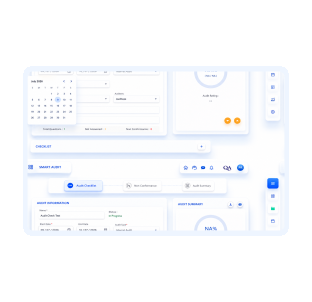
1. Course Creation
Design and develop training materials tailored to specific learning objectives.

Effective online learning management system to automate employee training from course creation to planning, tracking and maintaining training programs.
Book Demo
Features that make employee training simple, trackable, and effective

Create training courses with our drag and drop course creator or from our existing course library.

Self learning feature allows employees to complete the assigned training at their own pace and comfort.

Group Learning feature allows trainers to conduct and assess training completion for a group of trainees.

Visualize employee skills and competencies through the training skill matrix.

Equip new hires with vital skills and cultural insights through seamless self-onboarding training programs.

Retrain employees based on the refreshing schedule or when the training objective fails.

Gain insights on employees' learning progress with our built-in dashboard and customized reporting.

Schedule your hiring and refresher training and stay on top of the training compliances.

Select training courses from our growing library of predefined courses.
Content creation has never been easier with the drag-and-drop feature. Create visually appealing content by adding elements, layouts and Q/A. Configure the course settings at the end of the course creation process for a modern learning experience.

Content can be created either from scratch or cloned from our growing industry specific prebuilt training library.

Gain insight into employees' training performance, as well as identify their strengths and proficiency in different areas through the built-in skill matrix. Review training compliance and determine training areas of improvements required by the organization.

Schedule, assign, and manage training requirements with self learning and group learning options for different groups of employees. Customized notification helps keep employees on track to the completion due dates.

Scheduling capability lets the business organize current and future training events. As training sessions are scheduled, they are automatically added to the assigned users built-in app calendar as well as sent by email to be added to their email calendar. Users can go back in history to review past and future tasks.

Streamline your business training process with customized workflow such as Create, Review and Approve Course and training completions. Manage and monitor assigned tasks in the My Action tab of our software based on the configured workflow.

Make your training management smarter with these easy steps
Design and develop training materials tailored to specific learning objectives.
Set up course parameters such as duration, prerequisites, and materials.
Structure a comprehensive curriculum to cover all necessary topics and skills.
Organize the timing and logistics of training sessions based on availability and learning needs.
Conduct the actual training sessions, whether in-person or virtual, following the established curriculum.
Assess participants' understanding and progress through quizzes, tests, or other evaluation methods.
Generate certificates or acknowledgment upon successful completion of the training program.
Record attendance, progress, and other relevant data for each participant throughout the training process.
Create a visual representation of learner skills and competencies to track their development.
Offer refresher training sessions or modules to reinforce knowledge and skills or to update participants on new information or procedures.
Training management software is a web-based application that helps businesses to onboard and train the new employees and customers as well about the organization, products and other information.
Smart Training not only helps to train the employees only but it helps you to train all other external parties as well from customers and suppliers to other supply chain partners.
Training management software helps to save time and money required to train employees and other external parties while making the training process consistent and easily trackable.
Training management helps to make the employees more productive with effective on job knowledge through training and reduces the workload of training managers.
One can create a course either using drag and drop features or from the training library. You can add questions, test papers, videos, infographics and other resources in a course to make the training powerful and effective.
With the self learning feature, training is assigned to a user in the application. The user gets notified and launches the course to complete at his/her comfort and pace.
A trainer and a group of trainees are assigned to the group learning on a scheduled date and time. The trainer conducts the training and collects trainee responses as the training continues through interactive Q/A configured to the course. At the end of the training, trainee feedback is evaluated to generate training completion log, training certificate and gets updated to the skill matrix.
Training Management Software and Learning Management System are being termed interchangeably. However, TMS is being designed with main focus to the corporate managers but an LMS is designed for learning management perspective.
Our transparent and affordable licensing fee helps companies of any size to get started with Smart Training. The cost benefits of increase in employee productivity with proper training outweighs the subscription cost.
Connect us to get started with your digital transformation of the training module in a week time or less.